
MagicFrog agents don't have to work on the machine the client runs on. Every computer — a cloud computer you create, your own machine, or the local machine itself — is a first-class execution target that agents can use for browser, command, file, and desktop operations.
Each computer is identified by a stable computerId. An IP address is not an identity: addresses change, and two machines behind the same router can share one. The computerId is what you select as a target and what every tool call is authorized against.
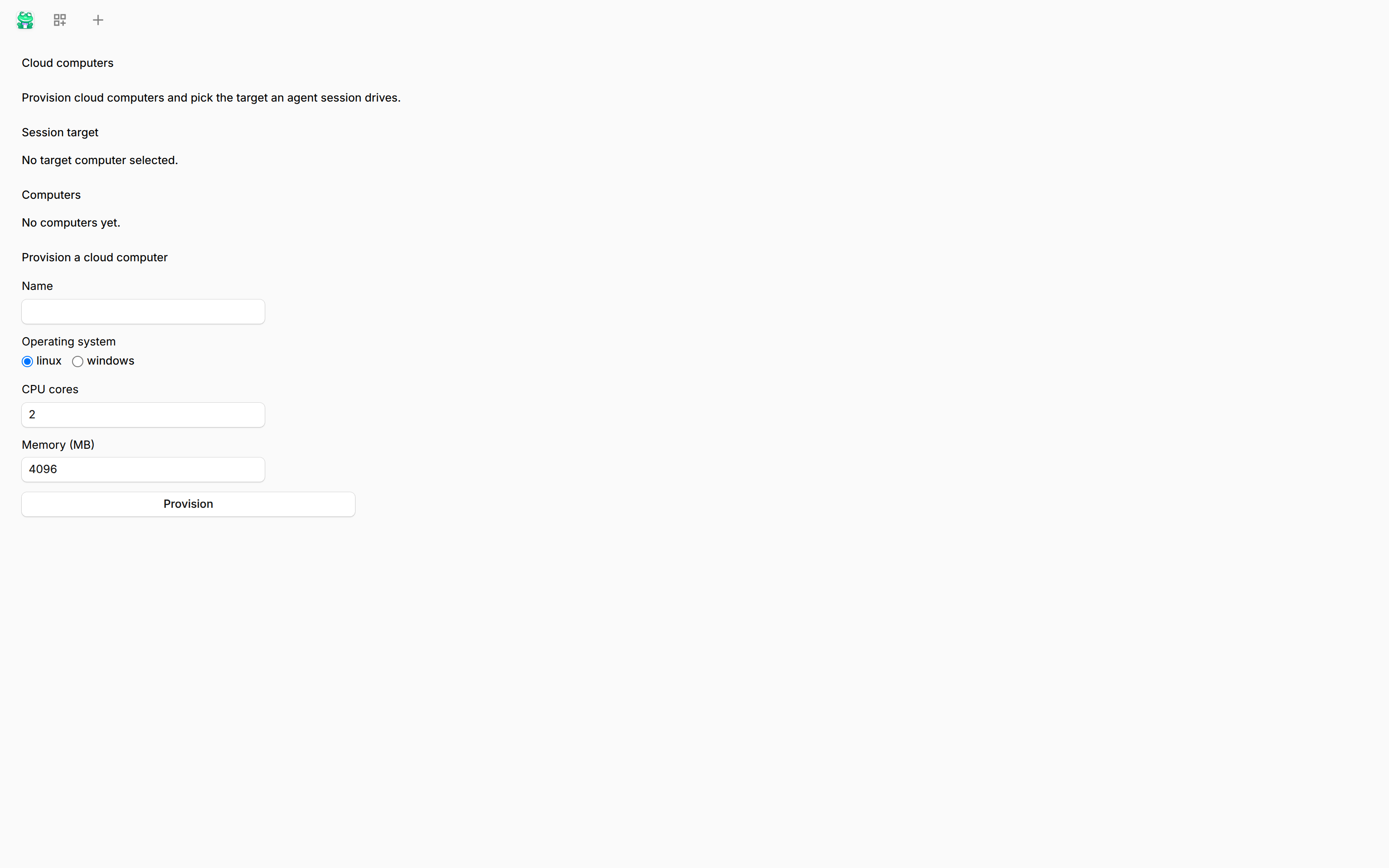
The screenshot shows the Computers page in its empty state, together with the Provision form.
Where computers come from
| Type | Origin | Typical use |
|---|---|---|
local |
Always present. The machine the client runs on, registered under the id local. |
Working on the machine in front of you. |
docker |
Created by the platform: a Linux cloud computer running as a container. | Disposable Linux workloads with browser and shell access. |
windows |
Created by the platform: a Windows cloud computer. | Windows-specific browser, shell, and desktop work. |
enrolled |
Registered by you through the CLI: an existing physical machine, server, or VM. | Putting your own hardware on the roster. |
The docker and windows computers are provisioned by the platform — the platform owns creating, starting, stopping, and destroying them. The local computer is simply the machine the client runs on. An enrolled computer is different: MagicFrog never created the machine and never deletes it. Revoking an enrolled computer removes the registration, nothing else.
Scope: one control plane, one server
MagicFrog is deliberately single-server. The control plane creates, starts, stops, and destroys provisioned cloud computers on the server it runs on, through that host's own container runtime. There is no way to register a second physical host, add a node pool, point the runtime at a remote Docker daemon, or schedule a computer onto another machine — none of those surfaces exists, in configuration or in the API. This is a product boundary, not a default you can raise.
The single-file SQLite database is the technical counterpart of the same boundary: persistence is one database on one volume, not a shared cluster store.
Enrolled computers are outside that scope. You create them yourself with the CLI; the control plane never provisions, starts, or destroys them. It sends them work over their outbound daemon connection. So "one server" limits what the control plane creates, not which machines your agents can operate.
Lifecycle
Provisioned cloud computers and enrolled machines have distinct lifecycles.
Provisioned computers
A provisioned computer (docker or windows) moves through these states:
creating— the container or VM is being provisioned. If provisioning times out or the image is missing, the half-built instance is cleaned up and creation fails with an explicit error.ready— the instance is up and accepting work. A Linux computer reaches this state when its container is running and ready; a Windows computer when its clone is running and the remote desktop port is listening.stopped— the instance is halted but its disk (container volume or VM image) is kept. Starting it again brings it back toready.destroyed— terminal. The container/VM and its volumes are deleted.
Start and stop are refused while the computer has an active run or lease, so stopping a computer can't pull the ground out from under a running task.
Enrolled computers
An enrolled machine moves through its own states:
pairing— a CLI enrollment is in progress, waiting for you to confirm the pairing code.enrolled— active and registered.revoked— terminal. The enrollment is gone: the device credential stops working, existing connections are dropped within seconds, and the computer no longer appears as a usable target.
Offline
Any computer can additionally be offline. Enrolled machines run a daemon that pings the server every 15 seconds; if two consecutive pings are missed, the computer is marked offline after about 30 seconds. Calls routed to an offline computer fail explicitly — they are never silently re-targeted to another machine.
Capabilities
A computer's capabilities are detected, not declared. During enrollment the daemon probes the real host and reports what it finds — shell and file access are always available, the browser is verified at runtime, and desktop control depends on the platform (macOS needs screen-recording permission; Windows needs remote desktop enabled). The reported capability set includes the operating system and CPU architecture of the host.
You don't configure capabilities by hand. When a tool needs a capability the target lacks — for example, a desktop action on a headless machine — the call fails with an explicit capability error instead of degrading silently.
Enrolling your own computer
Any machine you control can join your account as an enrolled computer:
magicfrog enroll --server https://<your-host>:4096The CLI signs in to your account, requests a short-lived pairing code, and waits for you to confirm it. After confirmation the machine receives its own device identity and appears under your account as an enrolled computer.
- Device credentials are stored locally at
~/.magicfrog/credentials/device.json(mode0600) and are separate from your user login. - A device token can be revoked independently at any time.
magicfrog enroll --unenroll(or revoking from the server side) removes the enrollment without touching anything on the machine.
For the CLI commands in detail, see the CLI documentation.
Listing computers
The control plane exposes the computers on your account:
GET /v1/computers
Each entry carries its computerId, origin (provisioned or enrolled), lifecycle state, and detected capabilities — the same truth the daemon reports, not a static configuration.
Once a computer exists, every agent tool that touches a machine names its target by computerId. That routing and authorization model is covered in Computer ID Routing.