MagicFrog supports voice input and spoken replies on both the desktop app and the web app. The speech chain never leaves your infrastructure: recognition and synthesis run on-device or on self-hosted endpoints you configure, and a static test in the codebase enforces that no third-party speech cloud can enter the chain.
Voice input (dictation)
Dictation captures your microphone and turns it into text in the composer.
- Two capture modes.
holdrecords until you stop it;endpointends the utterance automatically after a quiet gap (about 1.2 seconds) measured on the page. - Your own recognizer. Audio is sent to a self-hosted transcription endpoint speaking the OpenAI-audio request shape — local servers such as whisper.cpp server, faster-whisper, or LocalAI work as-is. The default endpoint is loopback (
http://127.0.0.1:8080). - Language and model hints. You can set a primary language subtag (for example
zhoren); omit the model to let the endpoint use its default. - Bounded and cancellable. Requests are time-boxed and response sizes are capped, so a stuck server cannot hang the composer.
Browser cloud recognizers (the SpeechRecognition API family) are deliberately not used — they stream audio to the browser vendor's cloud, which the zero-external-SaaS contract forbids.
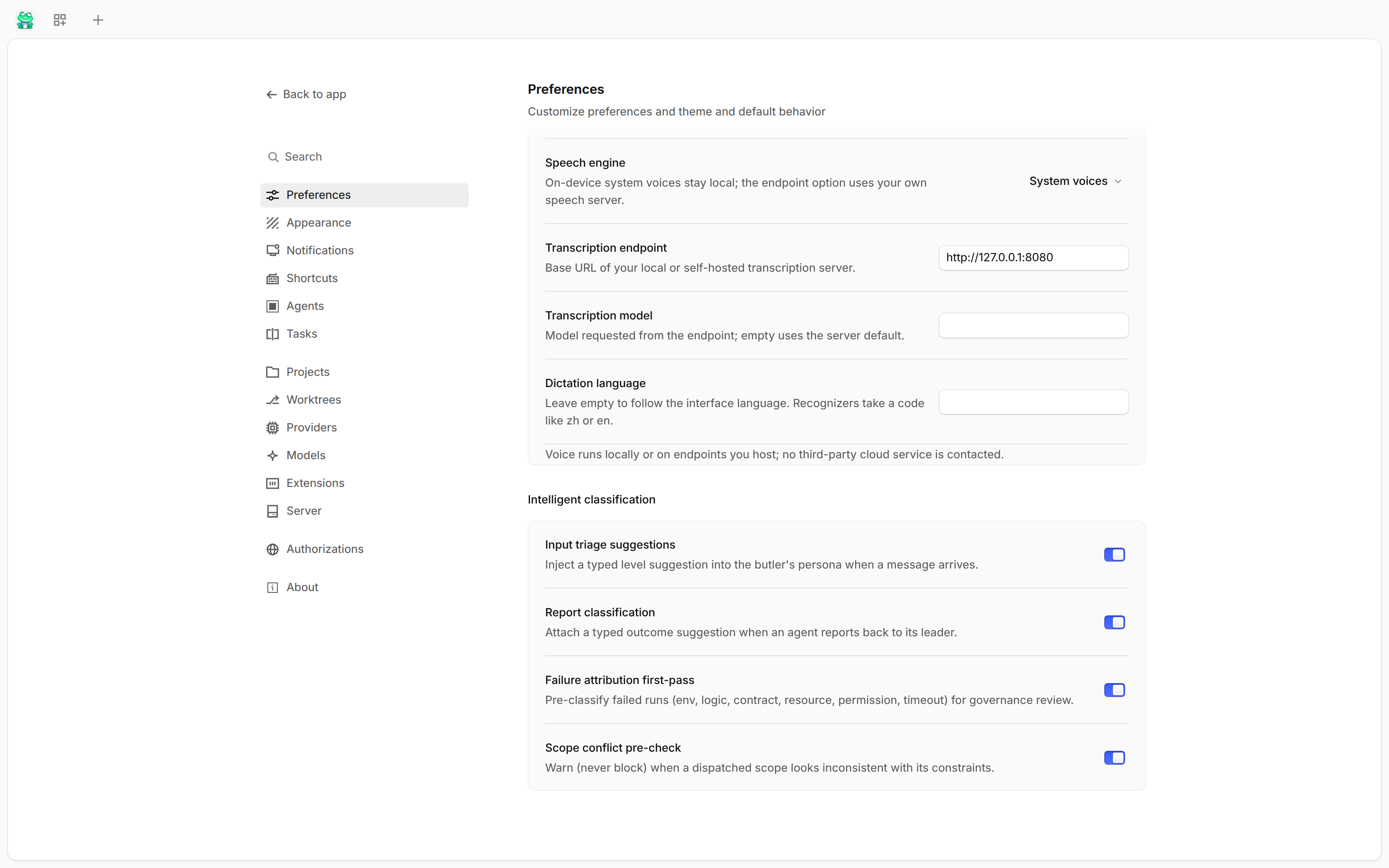
The screenshot shows the real Voice section of the web app's Settings → Preferences page: speech engine selection, the transcription endpoint, and the dictation language.
Spoken replies (text-to-speech)
Agent replies can be read aloud, with a global switch and a per-session override (a per-session recorded value wins over the global one).
Two synthesis engines, both inside the same boundary:
- System voices — on-device
speechSynthesisvoices, filtered to local OS voices with no network hop. - Self-hosted endpoint — a synthesis server you run, also speaking the OpenAI-audio shape (default loopback
http://127.0.0.1:8000).
Long replies are spoken in chunks so playback starts fast, a caption shows what is being read, and each message is announced at most once — streaming updates or restoring a tab never cause double speech.
Desktop and web
The same feature runs in two hosts:
| Capability | Desktop (Electron) | Web (browser) |
|---|---|---|
| Microphone capture | Yes | Yes (getUserMedia + MediaRecorder) |
| System-voice playback | Yes | Yes (speechSynthesis) |
Loopback http:// endpoints |
Allowed | Allowed on http:// origins; rejected up front on https:// pages (mixed content) |
The web host checks capability up front and refuses an http loopback endpoint on a secure page before you record, instead of failing mid-recording.
Hands-free conversation
The voice session form is a continuous conversation: the state machine moves through listening → thinking → speaking, with a mute control and a running exchange transcript.
One deliberate difference from barge-in designs: because transcription is record-then-transcribe on your own endpoint, the microphone stays closed during playback. A short echo guard (about 0.6 seconds) after playback ends before it reopens — the assistant never hears itself.
Privacy boundary
Nothing in the voice chain names a third-party speech cloud. The engines may only reach the user's own loopback or self-hosted endpoints and the on-device speech stack, and a static test scans every voice module source file for third-party speech hosts and cloud recognizer identifiers — any new cloud dependency fails the build's test run.
Voice settings persist locally per app install: dictation language, both endpoints and models, the synthesis engine, the global speak-replies switch, and per-session overrides.