MagicFrog has exactly three model channels, and every one is bring-your-own-key: Anthropic, OpenAI, and custom OpenAI-compatible endpoints. There is no vendor catalog to browse and no subscription login path. A key you add is stored by the server in its SQLite database, not in a shared text file on disk.
Add a credential
In the desktop or web app, run /connect in the composer. The dialog lists the provider's supported methods. Pick API key, paste the key, and the provider, model, and integration catalogs refresh. Run /model to choose a model.
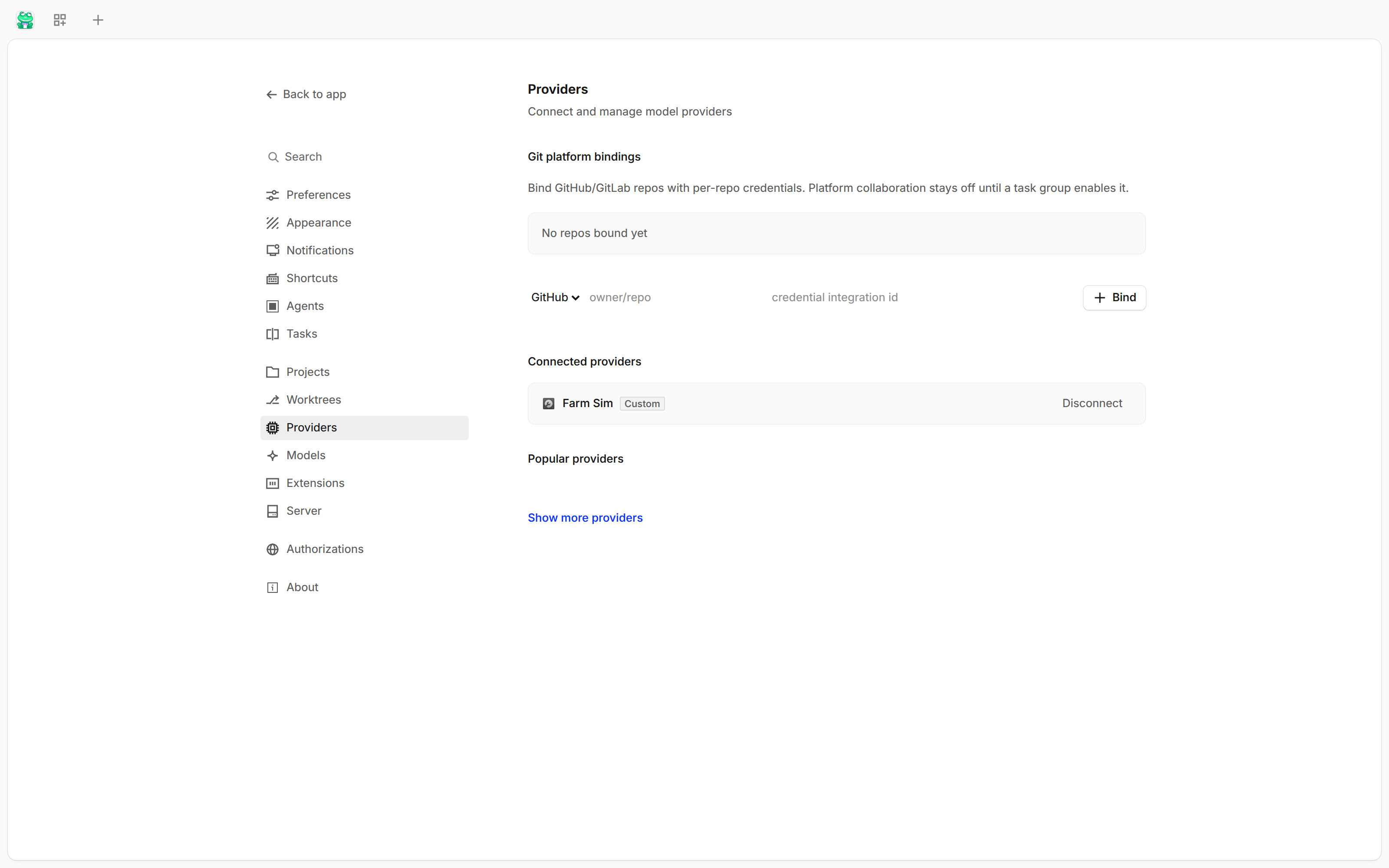
The Settings → Providers section of the web console:
From a terminal, magicfrog auth login runs the same integration flow:
magicfrog auth login anthropic
magicfrog auth list
auth list prints every integration and credential the server knows about, which makes it the first check when a provider does not appear in the picker.
Anthropic
- Run
/connectand choose Anthropic. - Paste your Anthropic API key.
- Run
/modeland select the model you want.
OpenAI
- Run
/connectand choose OpenAI. - Paste your OpenAI API key.
- Run
/modeland select a model.
The official OpenAI endpoint accepts both the chat completions shape (/v1/chat/completions) and the Responses shape (/v1/responses).
Custom OpenAI-compatible endpoint
Most providers expose an OpenAI-compatible API, so a custom endpoint is two steps: store the key, then declare the provider.
- Run
/connect, choose Other, enter a provider ID such asmyprovider, and paste the key. - Add the provider to
magicfrog.json:
{
  "$schema": "https://www.magicfrog.ai/config.json",
  "providers": {
    "myprovider": {
      "name": "My AI Provider",
      "package": "@magicfrog/ai/providers/openai-compatible",
      "settings": {
        "baseURL": "https://api.myprovider.com/v1",
        "apiKey": "{env:MYPROVIDER_API_KEY}"
      },
      "models": {
        "my-model": {
          "name": "My Model",
          "limit": {
            "context": 200000,
            "output": 65536
          }
        }
      }
    }
  }
}- Run
/model. The custom provider and its declared models appear in the picker.
| Field | Meaning |
|---|---|
package |
The provider implementation. Use @magicfrog/ai/providers/openai-compatible for the chat completions shape, or @magicfrog/ai/providers/openai-compatible-responses for the Responses shape. |
name |
Display name in the model picker. |
settings.baseURL |
Endpoint root. A trailing /v1 is handled for you. |
settings.apiKey |
Key, using {env:NAME} to read it from the environment. Omit it when the credential is already stored by /connect. |
headers |
Optional headers sent with every request from this provider. |
models |
The models this provider serves. |
models.<id>.limit.context |
Maximum input tokens. |
models.<id>.limit.output |
Maximum generated tokens. |
Provider-level settings apply to every model; a model can override them. limit values let MagicFrog report how much context is left.
Mixed shapes under one provider
A provider can serve both shapes when different models need different transports. Set the provider-level package to the common shape and override package on the model that differs.
Local models
MagicFrog discovers local inference servers through built-in presets:
| Preset | Default endpoint |
|---|---|
| LM Studio | http://127.0.0.1:1234 |
| Ollama | http://127.0.0.1:11434 |
| vLLM | http://127.0.0.1:8000 |
Start the local server and the preset discovers the models it serves. They appear in the /model picker without a credential. If the endpoint requires a key, set providers.<preset>.settings.apiKey in magicfrog.json.
Where configuration lives
MagicFrog reads magicfrog.json or magicfrog.jsonc from the project directory upward, and from the global config directory. The $schema value enables editor validation. Later sources override earlier ones, and an explicitly passed config path wins.
Older configurations that use provider.<id>.options.baseURL are still read and normalized at load time. New configuration should use providers.<id>.settings, because the V1 shape is frozen and deprecated.
Troubleshooting
- Check the credential with
magicfrog auth list. A key stored for one provider ID does not satisfy another. - Match the IDs. The ID entered in
/connectmust equal the key underprovidersinmagicfrog.json. - Match the package to the endpoint shape. Chat completions uses
@magicfrog/ai/providers/openai-compatible; a Responses endpoint uses@magicfrog/ai/providers/openai-compatible-responses. - Check
baseURL. It must be an absolutehttporhttpsURL. A wrong path prefix is the most common cause of a 404 from a custom endpoint. - Declare the models. A custom provider with an empty
modelsmap lists nothing, even when the key is valid.